Check what the column measures
Label your records "section time" and "time from start" before comparing them. The word split alone can be ambiguous. In our English online stopwatch, Split means the duration of one section, while Total is the cumulative reading at that checkpoint. Here, cumulative split always means time from the start.
See both readings together
Record a few laps in your browser and compare the section duration with the cumulative reading in each row.
Open online stopwatchesCheck the stopwatch terminology
CASIO's manual distinguishes a single lap duration from a split measured from the start. That is the distinction used in the example below.
Read CASIO's lap and split definitionsRecord laps in iPhone Clock
Apple documents the Start, Lap, and Stop controls. The built-in stopwatch is a starting point for one continuous run.
Read Apple's iPhone stopwatch guide01
What each reading tells you
A lap covers the section between two marks. The first lap begins at the start. Pressing Lap marks a boundary while the overall clock keeps running. You can use lap marks on a straight course too; a section does not need to be a physical circuit.
A cumulative split keeps the same starting point throughout the run. Subtract the previous cumulative split from the next one to find a section time. To go the other way, add the lap durations up to the checkpoint you need.
At the finish, the final cumulative split equals total time. Adding every section should give the same total. That check assumes one complete record with no resets, deleted laps, or excluded pauses.
Check your record. For each mark, record the checkpoint, the section duration, and the cumulative reading. Those labels make the numbers easier to reuse later.
02
A 1600 m example, one 400 m lap at a time
These are illustrative results for a continuous four-lap run. Times use minutes:seconds. At 400 m, the stopwatch reads 1:28. Both the first lap and the first cumulative split are 1:28 because they share the same start.
At 800 m, the cumulative reading is 3:00. Lap two took 1:32: subtract the first 88 seconds from 180 seconds. The 3:00 reading covers both laps together.
At 1200 m, the reading is 4:35, so lap three took 1:35. The finish at 1600 m comes at 6:08. Subtracting 4:35 from 6:08 gives a final lap of 1:33.
The lap durations are 1:28, 1:32, 1:35, and 1:33. In seconds, 88 + 92 + 95 + 93 = 368, or 6:08. Use those individual durations to compare the four equal sections. Lap three took the longest. The cumulative readings of 1:28, 3:00, 4:35, and 6:08 answer where the runner was in the overall timeline.
Check your record. Convert minutes:seconds to seconds before subtracting. For example, 4:35 is 275 seconds, not the decimal number 4.35.
03
Mark checkpoints while the clock keeps running
Choose your checkpoints before the run and reset any test reading. In iPhone Clock, open Stopwatch and tap Start. Tap Lap at each intermediate checkpoint, then Stop at the finish. Apple's guide linked above documents these controls.
For the four-lap example, mark 400 m, 800 m, and 1200 m, then stop at 1600 m. Leave the clock running between checkpoints. Stopping and restarting at each line introduces pauses into a result intended to measure a continuous run.
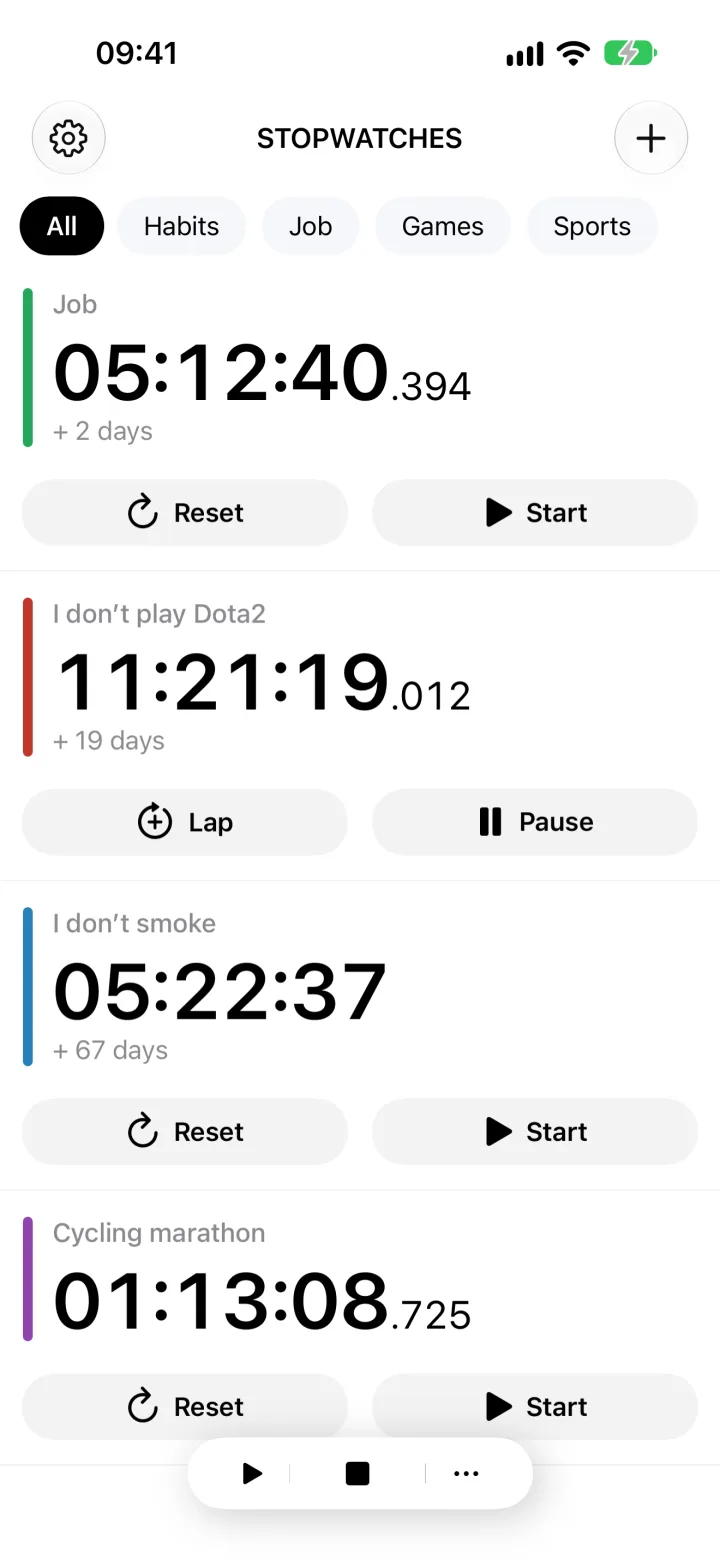
In Stopwatches for iPhone, Lap closes one section and starts the next. Stop pauses the current section. Its duration remains in the current lap row at the finish. Include that row with the earlier completed laps when you check the sum against total time.
Check your record. Look for the final section after stopping. Copy or save the readings you need before resetting the counter.
04
Use separate counters for separate starts
Laps divide one clock. When runners start at different times or pause independently, give each runner a separate stopwatch. A mark on one shared clock otherwise refers to the shared start or the preceding mark, rather than that runner's own start.
In Stopwatches, name each counter after its runner. Turn off Single Stopwatch Mode when several counters need to run together. With that setting enabled, starting one counter stops the others.
Record each runner's checkpoints inside their own counter. After the run, open a lap entry, add a note such as "800 m checkpoint, second section", and tap Save. The counter name identifies the runner; the note explains what the entry covers.
Check your record. Try two test counters before timing a group. Check that stopping one leaves the other running.
05
Avoid comparisons that change the meaning
Increasing cumulative splits do not show that the runner slowed down. Each reading covers more distance. Compare durations for equal sections to assess pacing. If the sections have different lengths, calculate time per unit of distance first.
Decide whether recovery belongs in the record. Leaving the counter running after a repetition includes recovery in the next lap. In Stopwatches, stopping excludes the pause from the accumulated time, and starting again resumes the same current lap. That reading no longer represents all the wall-clock time between the original start and finish.
A manual lap mark also includes your reaction delay. Decimal places on a display do not remove that delay. For an official race result, use the timing method required by the event's rules.
Check your record. Keep section distances and pause handling consistent across attempts. Flag any attempt with a missed checkpoint.
Check the arithmetic with a short trial
You can check the workflow at your desk. A few button presses will show which readings your stopwatch keeps.
- Start one counter from zero and record two laps without pausing.
- Write down the cumulative reading at each lap mark as well.
- Stop the counter and find the final current lap duration.
- Add all three sections and compare the sum with total time, allowing for display rounding.
- In Stopwatches, add a note to one lap and check that it is saved before resetting.
When a checkpoint or final row is missing
Can I recover a lap if I forgot to press the button?
Without another record of the time at that checkpoint, you cannot divide the missed sections accurately. The next mark covers them together. Total time still has its meaning if the clock kept running, but the combined section is not comparable to one ordinary lap.
Why is there no final lap row after I pause the online stopwatch?
Our online stopwatch adds a row only when you press Lap. Pausing stops the clock without adding a row. Subtract the last recorded cumulative reading from the final display to find the remaining section. In Stopwatches for iPhone, the final section duration stays in the current lap row.
Stopwatches
Record a test lap and check the total.
Create a named counter in Stopwatches, record two laps, then stop it. Include the final current section in your sum, check the total, and save a note on the lap you need to identify.
Open Stopwatches in the App Store